

Checklist
Restore Tests That Actually Prove Readiness
Jan 14, 2026 · 5 min read
Backup reports are not evidence. Restore tests are. This is a practical baseline: small scope, measurable proof, and an operator-friendly cadence.
What a restore test proves (and what it doesn't)
A restore test is not theater. It is a controlled rehearsal that produces timestamps and artifacts you can point to later—especially when somebody asks, “Are we actually covered?”
- Proves: data can be recovered, booted, and validated within a defined window.
- Proves: the runbook is current, credentials work, and dependencies are understood.
- Does not prove: full disaster recovery for every workload. That is a separate exercise.
The 60-minute baseline test
The goal is repeatability. If the scope is too large, the test stops happening. Keep it boring and consistent.
- Select one tier-1 workload and one tier-2 workload.
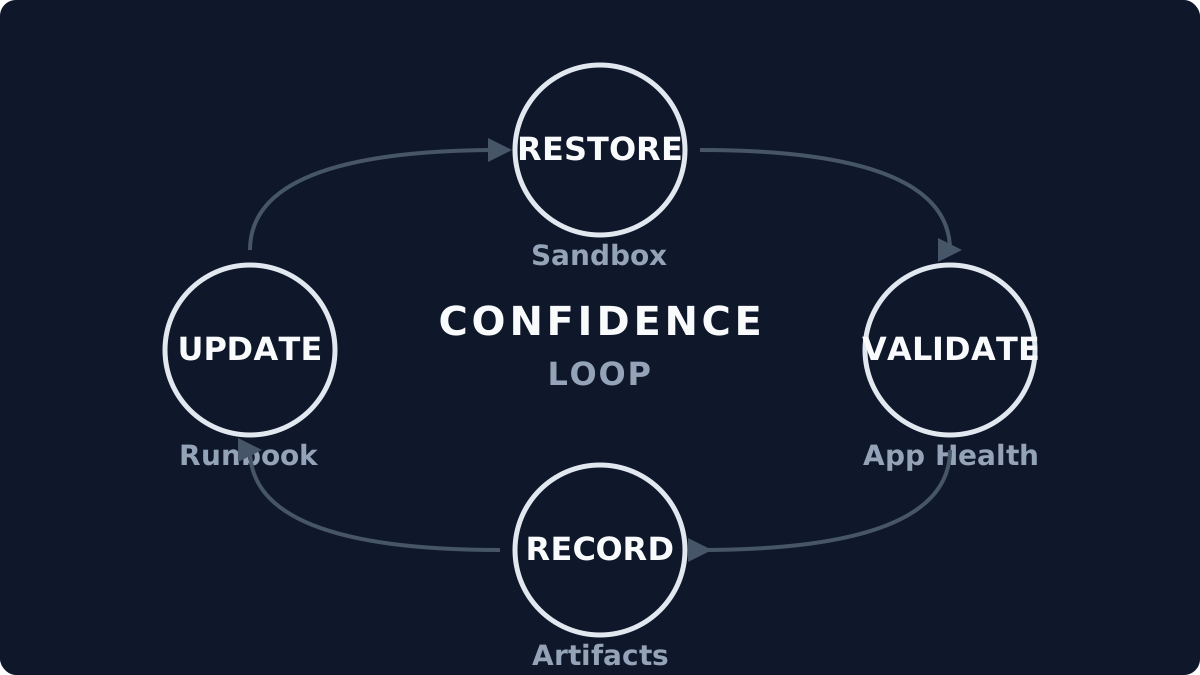
- Restore to an isolated sandbox network (no production routing).
- Boot, validate application health, and capture timings.
- Record restore duration vs. RTO, and data freshness vs. RPO.
- Capture evidence and close the loop with a short report.
Cadence by tier (minimum viable)
- Tier 1: monthly restore test with evidence.
- Tier 2: quarterly restore test with evidence.
- Tier 3: semi-annual spot check or backup verification sweep.
Evidence to capture
If the test can't be audited later, it didn't happen. Save artifacts like you expect to be challenged on them.
- Restore start and end timestamps (wall-clock and platform logs).
- Application validation steps and outcome (screenshots or logs).
- RPO/RTO comparison with a single sentence: met or missed.
- Runbook updates required (even if minor).
Common failure patterns
- Credentials rotated, runbook not updated.
- DNS or firewall rules missing in the sandbox.
- Backups are green but the app fails to start.
- RPO technically met, but data integrity checks fail.
What gets handed off
- One-page restore report per test (date, scope, timings).
- Updated runbook with known dependencies.
- Next test date and owner.
One-Page Restore Report (Template)
- Scope
- System, environment, and restore point used.
- Timings
- Restore start → app ready → validation complete.
- RPO / RTO
- Targets vs. achieved, with one sentence: met or missed.
- Findings
- Missing dependency, stale doc, or validation failure.
If you want a deeper standard for what qualifies as evidence, see What Counts as Proof of Recovery.
Stability principle
Evidence beats assurance.
A green backup report is a claim. A restore test is proof.
Related notes
All notesField Report
The Idempotency Audit: When Scripts Run Twice
Jan 17, 2026 · 6 min read
Why 'check-then-act' logic is fragile, and how a script that ran twice broke production.
Checklist
Azure Foundations: The Governance Baseline
Jan 17, 2026 · 5 min read
The boring but essential checklist that prevents Azure environments from rotting into ClickOps chaos.
Checklist
What Operators Actually Check on Monday Morning
Jan 14, 2026 · 7 min read
The minimal checks that prevent silent regression when the consultants are gone.
Next step
If this problem feels familiar, start with the Health Check.
It measures drift and recovery evidence, then returns a scored report with a focused remediation plan.